At home on your Mac
Native windows, light and dark appearances, keyboard shortcuts, and a menu bar panel.
A native BitTorrent app for macOS. Choose your files, manage your queue, and keep downloading in the background.

Native windows, light and dark appearances, keyboard shortcuts, and a menu bar panel.
Preview torrents and magnet links, select files and priorities, then start your transfer.
Control bandwidth and concurrency, pause a batch, and keep individual pauses intact.
Choose a share-ratio target, a seeding-time limit, or stop when the download completes.
Organize with tags, schedule daily speed limits, and import from a watched folder.
Verify and resume after restarting, reuse existing data, and keep files when removing tasks by default.
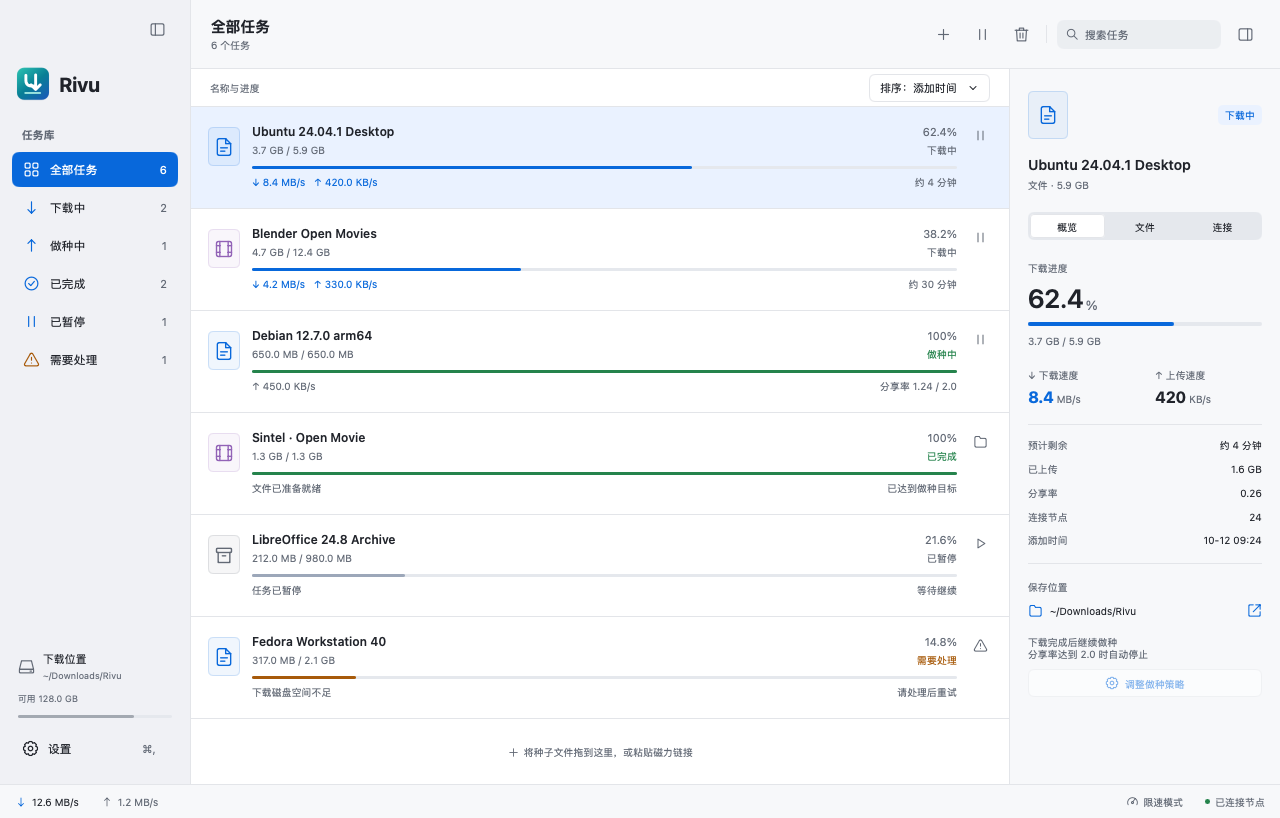
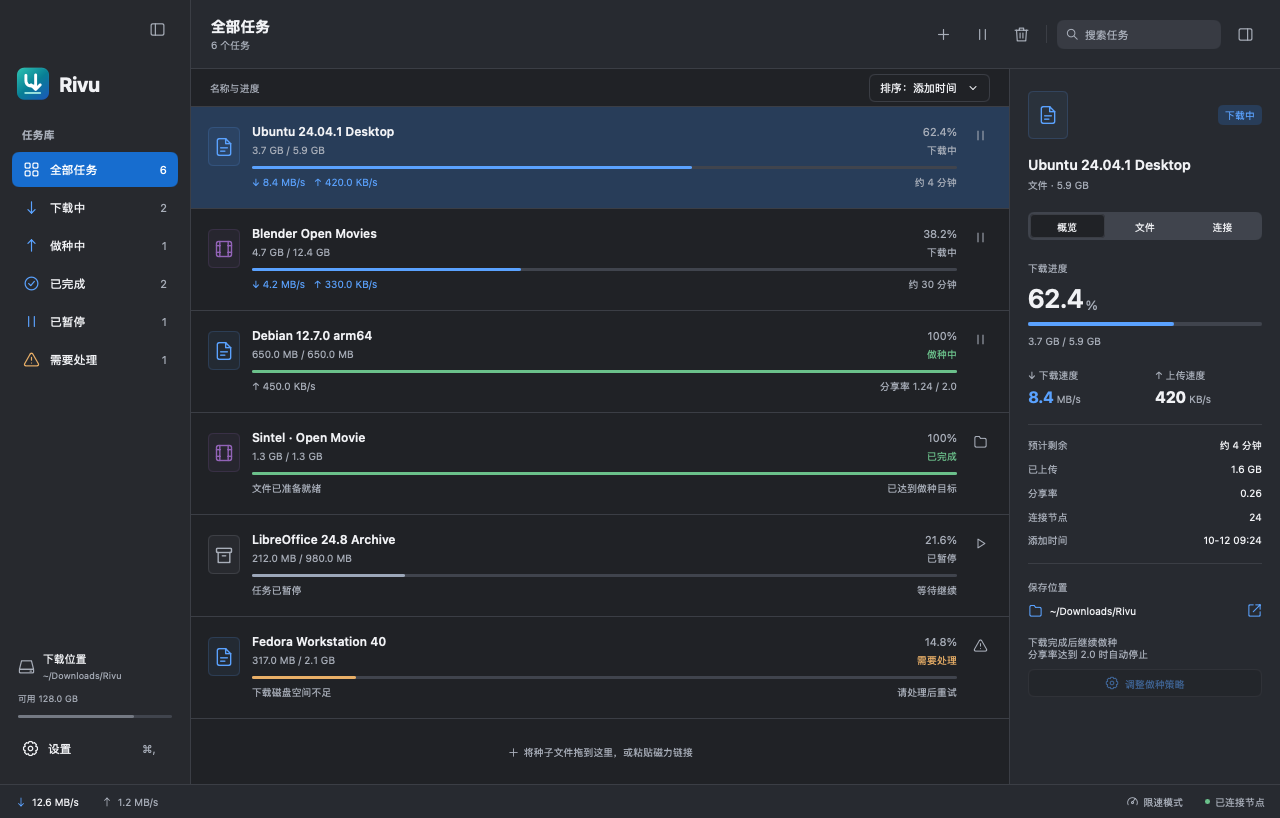
Screenshots use the application UI renderer with demo transfers in Simplified Chinese.
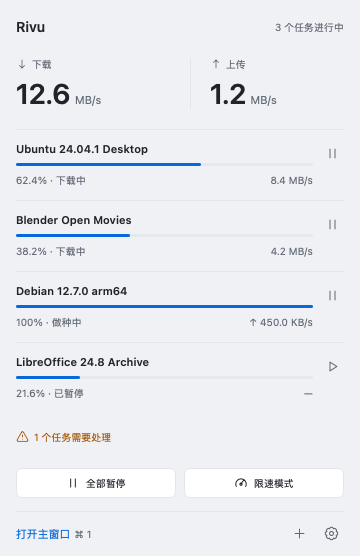
Leave transfers in the background and check speeds and progress from the menu bar. Pause the queue, switch limits, or add a download whenever you need to. Quitting the app saves the session and stops transfers.
Read the getting started guide →
Current availability
Rivu is in active development for macOS 12 or later. You can currently try it by building from source. Signed distribution and automatic updates are still being prepared.
The app supports English, 简体中文, 繁體中文, 日本語, and 한국어. It follows your system language, with a manual choice in Settings.
Find answers in the FAQ and troubleshooting guide, or share feedback in GitHub Issues. To work on the project, explore the developer documentation.